
Barcode labels are an essential part of modern business operations. From retail billing and inventory management to logistics and asset tracking, barcode labels help businesses improve accuracy, speed, and efficiency. However, incorrect barcode printing can lead to scanning errors, wasted labels, and operational delays.
This guide explains how to print barcode labels correctly, covering everything from printers and software to label types, printing methods, and common mistakes businesses should avoid.
What Are Barcode Labels and Why Are They Used?
Barcode labels are adhesive labels printed with 1D or 2D barcodes that store product or asset information. These barcodes can be scanned instantly to retrieve data such as item codes, prices, batch numbers, or tracking details.
Businesses use barcode labels to:
- Speed up checkout and data entry
- Reduce manual errors
- Track inventory and assets accurately
- Improve logistics and warehouse efficiency
Proper barcode printing ensures barcodes remain clear, readable, and scannable throughout their usage lifecycle.
What Do You Need to Print Barcode Labels?
Before printing barcode labels, it’s important to have the right setup in place.
Barcode Printer
Barcode printers are designed specifically for label printing. Desktop printers are suitable for retail and office use, while industrial printers are ideal for warehouses and high-volume printing environments.
Barcode Printing Software
Barcode labels can be generated using:
- Excel-based templates
- Label design software
- POS or ERP systems
- Inventory management applications
The software converts product data into scannable barcodes.
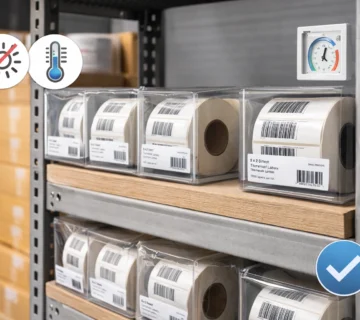
Barcode Labels and Ribbons
Label material and ribbon type affect print quality and durability. Paper labels are suitable for short-term use, while synthetic labels require resin or wax-resin ribbons for long-lasting prints.
How to Print Barcode Labels (Step-by-Step)
Step 1: Choose the Correct Label Size
Select a label size that fits your product, packaging, or shelf. Incorrect sizing can cause barcodes to be cut off or unreadable.
Step 2: Generate the Barcode
Use your software to generate the barcode. Ensure the correct barcode type (1D or 2D) is selected based on your application.
Step 3: Set Printer and Label Settings
Configure label width, height, print speed, and darkness. Proper settings ensure sharp barcode lines and good contrast.
Step 4: Print and Test the Barcode
Print a test label before bulk printing. This helps identify alignment or clarity issues early.
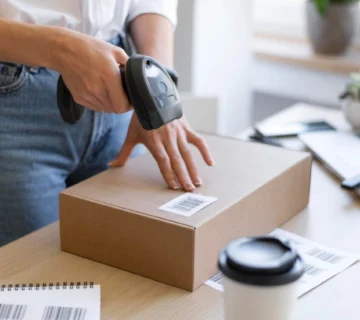
Step 5: Scan and Verify Accuracy
Always scan the printed barcode using a scanner to confirm readability before using it in operations.
How to Print Barcode Labels Using Different Methods
Businesses that use dedicated barcode printers can follow a detailed guide on printing barcode labels using barcode printers to ensure proper setup, accurate printing, and consistent scan quality.
How to Print Barcode Labels from Excel
Businesses can generate barcodes in Excel using barcode fonts or add-ins. Excel is useful for small-scale or basic barcode printing needs.
How to Print Barcode Labels Using a Barcode Printer
Barcode printers from brands like Zebra and Honeywell provide consistent results for business use. They support higher volumes and better print quality compared to standard office printers.
How to Print Barcode Labels on A4 Paper
For low-volume needs, businesses can print barcode labels on A4 sheets using laser or inkjet printers. Offices commonly use this method, but it is not suitable for large-scale operations.
Can a Logo Be Printed on Barcode Labels?
Yes, businesses can print logos on barcode labels along with text and barcodes. However, logos should not interfere with barcode scan areas. Businesses must maintain proper spacing and contrast to ensure barcode readability.
Many businesses use logo-printed barcode labels for branding, product identification, and professional presentation.
Common Barcode Printing Mistakes to Avoid
- Using the wrong label size
- Printing barcodes too small
- Low contrast between barcode and background
- Skipping test scans before bulk printing
- Incorrect printer speed and darkness settings
Avoiding these mistakes helps reduce reprints and scanning issues.
When to Use Professional Barcode Printing Services
Businesses with high-volume or critical labeling requirements often prefer professional barcode printing services. Professional providers ensure:
- Correct label materials
- Accurate barcode formatting
- Consistent print quality
- Compatibility with printers and scanners
If your business requires reliable and scalable barcode printing services in Dubai, working with an experienced provider helps save time, reduce errors, and ensure long-term efficiency.
FAQs – Frequently Asked Questions
Q1. How do I print barcode labels correctly?
Ans – Choose the right label size, generate the barcode using proper software, configure printer settings accurately, and always test-scan before bulk printing.
Q2. What is the easiest way to print barcode labels for business use?
Ans – Using a dedicated barcode printer with label design software is the easiest and most reliable way for business barcode printing.
Q3. Can barcode labels be printed in bulk?
Ans – Yes, businesses can print barcode labels in bulk using thermal or thermal-transfer barcode printers.
Q4. Which printer is best for barcode label printing?
Ans – The best printer depends on usage. Desktop printers work for retail, while industrial printers are better for warehouses and manufacturing environments.
Final Thoughts
Knowing how to print barcode labels correctly helps businesses improve accuracy, reduce operational issues, and maintain smooth workflows. With the right printer, software, and label materials, barcode printing becomes a reliable and efficient process for daily business operations.

No comment