Most businesses pick a barcode printer on price, and it works out fine until it doesn’t. A desktop printer bought for a busy dispatch bench wears out inside a year. An industrial printer bought for a small shop counter sits there taking up space and budget. Price isn’t really the deciding factor. What matters is how many labels you print, where the printer lives and what it costs you every time it stops.
The short answer
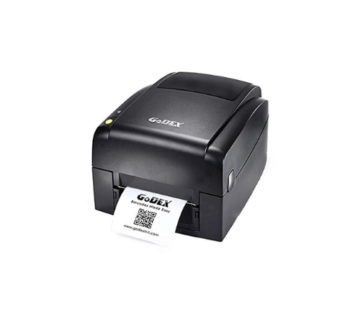
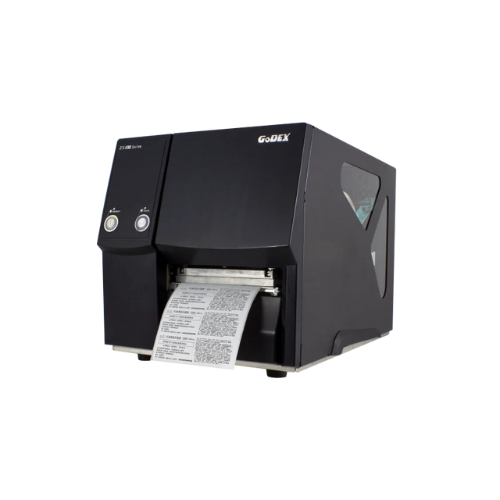
If you print a few hundred labels a day at a desk or counter, in a clean office or shop, buy a desktop printer. If you print thousands a day, run more than one shift, or the printer sits in a warehouse, on a production line or anywhere hot and dusty, buy an industrial one. In between sits a band of mid-range industrial printers, and a lot of growing businesses in Dubai end up there.
How they differ
| Desktop | Industrial | |
| Typical daily volume (rough guide) | From a handful up to around a thousand labels | Thousands, often non-stop across shifts |
| Build | Mostly plastic housing | Metal frame and covers |
| Label roll | Smaller rolls, typically up to about 127 mm (5 in) across | Bigger rolls, often up to about 203 mm (8 in) on a 76 mm (3 in) core |
| Ribbon | Shorter ribbons, typically 74 to 300 m | Longer ribbons, often 450 m or more |
| Print width | Mostly up to 104 mm (4 in) | 104 mm as standard, with wider models available |
| Best at | Short bursts | Running at speed for hours |
| Where it fits | Counters, offices, small dispatch areas | Warehouses, factories, logistics hubs |
| Cost | Lower to buy | Higher to buy, lower cost per label at volume |
Figures vary from model to model, so treat them as a guide and check the specification sheet for the exact printer you’re considering.
Start with your label volume
Count it honestly, and count your busiest day rather than an average one. Desktop printers can print quickly in short bursts. What they aren’t built for is running flat out all day, every day. Push one past its comfort zone and you’ll see it first in the printhead and the roller, which wear faster, and then in breakdowns.
Roll changes matter more than most people expect. A desktop printer takes smaller label rolls and shorter ribbons, so at high volume it needs reloading several times a shift. Every change is a few minutes where nothing gets labelled, and over a month those minutes add up to hours.
Think about where the printer will live
A printer on an office desk has an easy life. A printer next to a loading bay in Al Quoz or Jebel Ali doesn’t. Heat, dust and sand get into the label path, onto the printhead and into the mechanism. Industrial printers have metal frames and closed covers designed for exactly that. A plastic desktop printer in the same spot will keep going for a while, but it won’t last as long.
Heat affects the labels too, which is a separate decision. Direct thermal labels darken and fade in heat and sunlight, so anything that needs to last should be thermal transfer. Our guide to direct thermal and thermal transfer labels explains the difference.
Running costs matter more than the price tag
An industrial printer costs more to buy. What you get back is a lower cost per label once volume is high. Longer ribbons usually work out cheaper per metre, fewer roll changes mean less labour, and a printer built for the workload breaks down less often. At low volume none of that applies, and the desktop printer wins on cost every time.
The number people forget is what an hour of downtime costs. If a stopped printer means a truck waiting at the dock, that cost quickly outweighs the difference in purchase price.
The middle ground: mid-range industrial printers
Plenty of businesses don’t sit neatly on either side. Mid-range industrial printers such as the Zebra ZT220 and ZT230 or the Honeywell PM43 give you the metal build and big rolls of an industrial printer at a price nearer to a high-end desktop model. If you print somewhere between several hundred and a few thousand labels a day, start your search here.
Printers we often recommend
For desktop work, the Zebra ZD220 and ZD420, the TSC TE200, the Honeywell PC43t and the Citizen CL-S621II cover most needs. The TE200 deserves a mention because it takes a 300 m ribbon, which cuts down ribbon changes on thermal transfer work without the price of an industrial printer. For industrial work, the Zebra ZT220 and ZT230, the Honeywell PM43, the TSC MX240P and the Godex ZX430i are dependable workhorses.
203 dpi or 300 dpi?
This applies to both types. 203 dpi handles most shipping, carton and shelf labels comfortably. Choose 300 dpi for small labels, small text, or 2D codes such as QR codes and DataMatrix, which need finer detail to scan reliably.
Questions to answer before you buy
- How many labels do you print on your busiest day?
- Will the printer sit on a desk, a counter, a packing bench or a production line?
- Is the area air-conditioned, or hot and dusty?
- Do you need direct thermal or thermal transfer, in other words no ribbon or ribbon?
- What’s the widest label you’ll ever need to print?
- How will it connect: USB, your network or Wi-Fi?
- What does an hour of downtime cost you?
If the answers pull in different directions, give the most weight to the last one. Downtime is usually what settles it.
Common buying mistakes
- Buying a desktop printer for warehouse volume because it was cheaper, then replacing printheads every few months.
- Buying an industrial printer for a shop that prints fifty labels a day.
- Choosing on print speed alone. Speed only matters if the printer is actually the bottleneck.
- Ignoring consumables. A year of labels and ribbons can cost more than the printer did.
Get the right printer for the job
SMB Infotech supplies desktop and industrial barcode printers from Zebra, TSC, Honeywell, Citizen and Godex in Dubai and across the UAE. Tell us your daily label volume, your label size and where the printer will sit, and we’ll recommend one that fits the work. We’ll quote the labels and ribbons alongside it, so you can see the real running cost alongside the purchase price.
Frequently asked questions
Can a desktop printer handle warehouse work?
Light warehouse work, yes. Continuous, high-volume printing in a hot or dusty warehouse will wear a desktop printer out far sooner than an industrial one.
How many labels a day can a desktop barcode printer handle?
As a rough guide, desktop printers are comfortable with anything from a handful up to around a thousand labels a day. The exact figure depends on the model, the label size and how hard you run it.
Are industrial printers more expensive to run?
They cost more to buy, but at high volume they usually cost less per label, thanks to longer ribbons, bigger rolls and fewer breakdowns.
What’s the difference between a thermal printer and a thermal label printer?
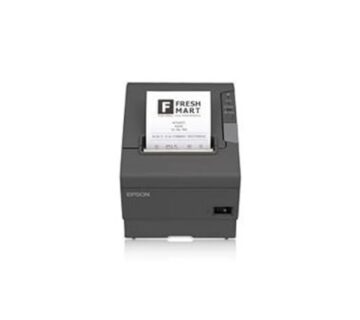
“Thermal printer” also covers receipt printers, which print on plain paper rolls at the till. A thermal label printer prints on label stock, either direct thermal or through a ribbon, and it’s the type used for barcodes, shipping labels and product labels.
Should I choose 203 or 300 dpi?
203 dpi for most shipping and carton labels. 300 dpi for small labels, fine text and 2D codes.