Most warehouse stock problems are not theft or supplier failures. They are counting errors, mislabelled pallets and goods that exist somewhere in the building but cannot be found. A barcode system removes almost all of that, and the printer is the part that makes it work.
This guide explains what a barcode setup actually does inside a Dubai warehouse, what to look for when choosing a printer and scanner, and what it takes to get one running.
The Real Cost of Manual Stock Control
Manual stock handling looks cheap because nobody invoices you for it. The cost shows up elsewhere. A study-level benchmark used across the logistics industry puts manual data entry error rates at roughly one mistake in every three hundred keystrokes. Scanning a barcode reduces that to a fraction of a percent.
In practice that difference looks like this:
- Stock counts that never quite reconcile with the system, so nobody fully trusts the numbers.
- Pickers walking the floor looking for cartons that were put away in the wrong bay.
- Wrong items shipped, then returned at your cost.
- Annual audits that take days rather than hours.
- Over-ordering on lines you already hold, because the system says zero.
For a warehouse in JAFZA, Al Quoz or Dubai Investments Park handling a few hundred SKUs, these losses are usually larger than the entire cost of the barcode equipment in the first year.
What a Barcode System Actually Involves
People often think of a barcode system as one purchase. It is four parts working together, and a weakness in any one of them undermines the rest.
- A barcode printer that produces the labels on site, on demand.
- Label stock and ribbon chosen for the surface and the environment.
- A barcode scanner that reads those labels reliably in real conditions.
- Software that holds the data, whether that is a full WMS, an ERP module or a well-built inventory app.
Printing on site matters more than it sounds. Ordering pre-printed labels means waiting on lead times, over-ordering to hit minimums, and reprinting the lot whenever a SKU changes. A printer on the receiving bench removes all three constraints.
How Barcode Printers Change Day-to-Day Warehouse Work
Goods Receiving
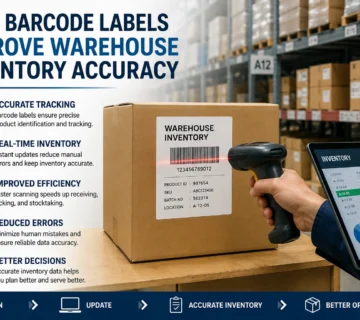
Stock arrives, and each carton or pallet gets a label printed at the point of receipt. The item is in the system before it moves anywhere. Supplier labels are often missing, damaged or in a format your system cannot read, so printing your own at intake gives you one consistent standard across every supplier.
Location and Bin Labelling
Racking, bays and bins each carry their own barcode. A picker scans the location and the item, and the system confirms the match. This single step eliminates most putaway errors, because the confirmation happens before the stock is set down rather than during the next stock count.
Picking and Dispatch
Pick lists are scanned rather than read. The scanner rejects the wrong item at the shelf instead of letting it travel to packing. Dispatch labels print at the bench with the correct address, carrier barcode and order reference.
Stock Counts and Audits
Cycle counting becomes something a staff member can do in an hour with a scanner rather than an exercise that shuts the warehouse for a weekend. Counts feed straight into the system with no transcription step.
Choosing the Right Barcode Printer for a Warehouse
The most common mistake is buying a desktop printer for a job that needs an industrial one. The printer then wears out inside a year and nobody understands why.
Desktop or Industrial
Desktop printers suit up to a few hundred labels a day. They are compact, affordable and fine for a receiving bench or a retail back office. Industrial printers are built for continuous shift work, take larger label rolls so they need reloading less often, and tolerate dust and heat far better. If you are printing thousands of labels a day, an industrial unit costs less over three years despite the higher purchase price.
Print Resolution
203 dpi handles standard carton, location and shipping labels without difficulty. Step up to 300 dpi when you need small labels, dense 2D codes, fine text or anything a customer will read closely. Higher resolution is not automatically better, as it prints slower and consumes ribbon faster.
Connectivity
USB is fine for a single dedicated workstation. Ethernet is the sensible default for anything shared, because the printer keeps a fixed address on the network and is not tied to one PC. Wi-Fi and Bluetooth suit mobile carts and forklift-mounted setups. Choose the interface based on where the printer will sit in twelve months, not where it sits on day one.
Duty Cycle and Printhead Life
Ask for the rated monthly volume and match it honestly to your peak, not your average. A printhead is a consumable with a life measured in kilometres of media. Running a printer permanently at the top of its rating simply means replacing heads more often.
Label Material Matters More in UAE Conditions
A label that performs well in a climate-controlled office can fail badly in a Dubai warehouse. Heat, humidity and sunlight through loading bay doors all attack adhesive and print.
- Standard paper labels with direct thermal printing will darken and fade in heat and sunlight. Fine for short-life dispatch labels, poor for anything that sits in stock.
- Thermal transfer printing onto paper with a wax or wax-resin ribbon lasts far longer and is the sensible default for warehouse use.
- Synthetic labels such as polypropylene or polyester with a resin ribbon handle heat, moisture, abrasion and chemicals. Use these for asset tags, outdoor storage and anything that must stay readable for years.
- Cold store operations need adhesives rated for freezer application, because standard adhesive will not bond at low temperature.
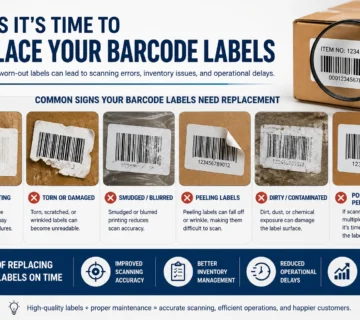
Getting this wrong is expensive in a quiet way. Labels fall off pallets months later, and the stock becomes untraceable long after anyone remembers which batch of labels was used.
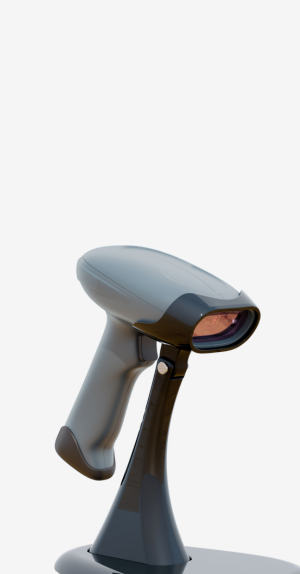
Pairing the Right Barcode Scanner
The scanner has to match the work, not just the barcode.
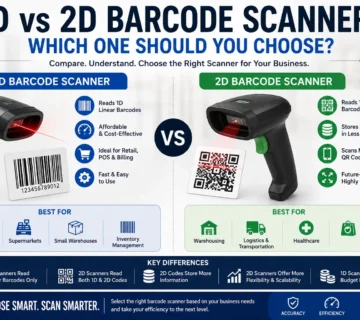
- 1D laser scanners are cheap and fast on traditional linear barcodes, and remain a good fit for straightforward receiving and picking.
- 2D imagers read QR and DataMatrix codes, cope with damaged or poorly printed labels, and can read from a phone or monitor screen. They are the safer long-term choice.
- Wireless scanners suit anyone moving around racking rather than working at a fixed bench.
- Rugged or industrial-grade scanners are worth the premium where units get dropped, which in a working warehouse is regularly.
Check the scan range against your actual racking. A scanner rated for close-range work will frustrate a team trying to read labels three metres up.
Setting Up a Warehouse Barcode System
- Map your locations first. Every rack, bay and bin needs a unique code before any stock is labelled.
- Agree a barcode standard. Code 128 is the common choice for internal use; use GS1 formats where trading partners require them.
- Label locations before items, so there is somewhere valid to put scanned stock.
- Print and apply item labels at goods receiving, starting with fast-moving lines.
- Train the team on the scanner and, just as importantly, on what to do when a scan fails.
- Run parallel with your existing process for two weeks before switching over fully.
The step most often skipped is location labelling. Teams start with products because that feels like progress, then discover the system cannot tell them where anything is.
Working With a Barcode Printing Company in Dubai
The equipment is the straightforward part. What determines whether the system still works in two years is the support behind it: labels that match your printer and application, ribbons that suit the material, printheads available locally when one wears out, and someone who will answer the phone when a printer stops mid-shift.
SMB Infotech is a barcode printer supplier in Dubai working with Zebra, TSC, Honeywell and other leading brands. We supply printers, scanners, labels and ribbons, and we handle installation, driver setup and ongoing service across the UAE.
If you are planning a warehouse barcode system, tell us your daily label volume, your storage environment and what software you are running, and we will specify a setup that fits rather than selling you the largest printer on the shelf.
Frequently Asked Questions
How much does a warehouse barcode system cost in Dubai?
It depends almost entirely on volume. A small operation can start with a desktop printer, a wired scanner and label stock for a modest outlay. A multi-station industrial setup with wireless scanners and WMS integration is a different scale. The consumables, meaning labels and ribbons, are the recurring cost people forget to budget for.
Can I use an office printer for barcode labels?
For occasional use on sheet labels, yes. For a warehouse, no. A dedicated thermal barcode printer prints on demand on roll stock, produces consistent scannable codes and costs far less per label.
Which barcode type should a warehouse use?
Code 128 is the usual choice for internal item and location labels because it is compact and widely supported. Use GS1-128 or other GS1 formats where retail or logistics partners specify them, and 2D codes such as DataMatrix where you need more data in a small space.
How long do barcode labels last in UAE warehouse conditions?
A direct thermal paper label may start fading within months in heat and light. A thermal transfer label on synthetic stock with a resin ribbon can stay readable for years. Match the material to how long the label needs to survive.