
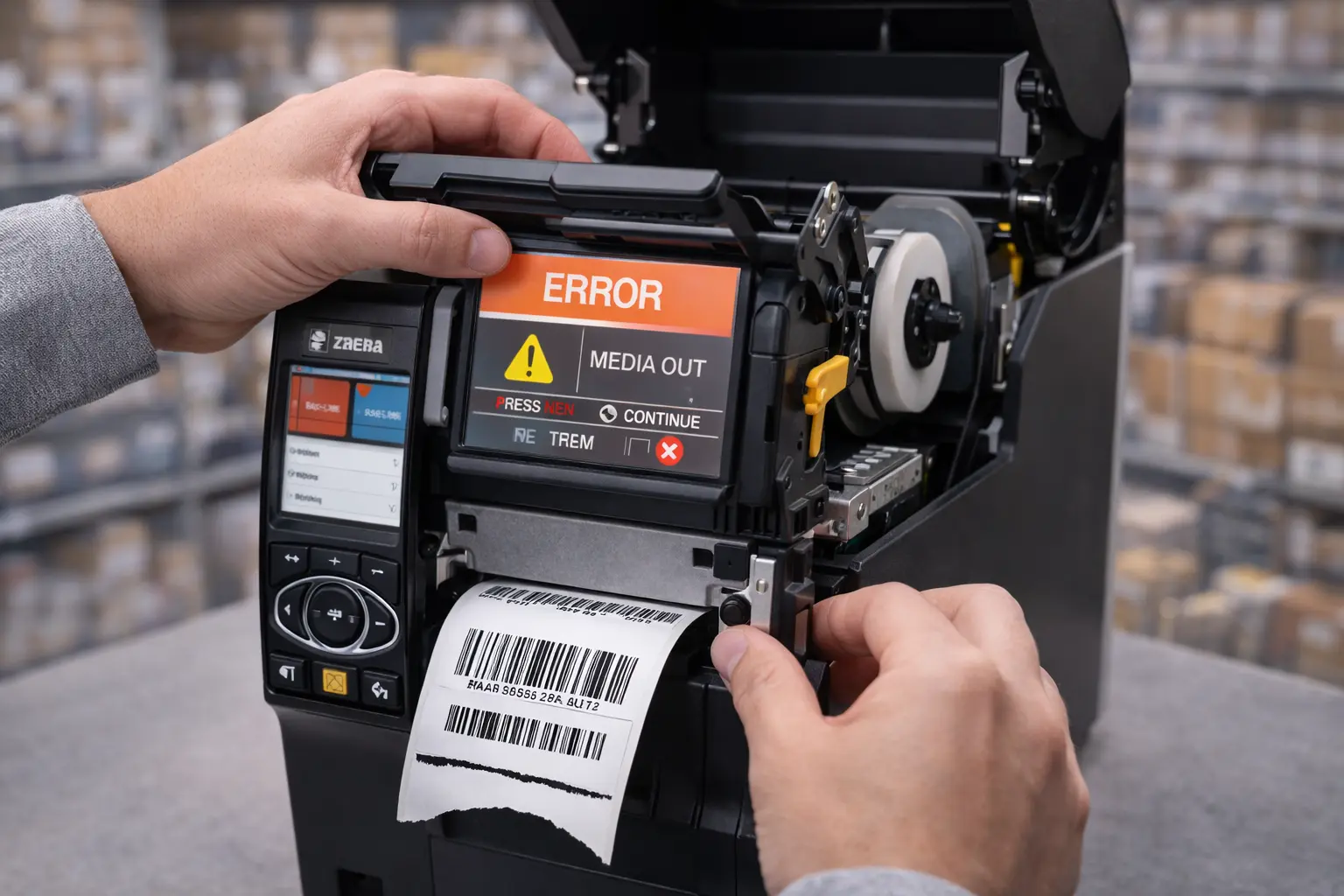
Zebra printers are widely used for barcode and label printing, but like any device, they can sometimes show errors that interrupt operations. These errors are usually related to calibration, connectivity, media settings, or hardware issues.
This guide covers the most common Zebra printer errors and how to fix them quickly to ensure smooth printing operations.
Zebra Printer Not Printing Error
Causes
- Incorrect printer settings
- Printer not set as default
- Connection issue
Fix
- Set Zebra printer as default
- Restart printer and system
- Check USB or network connection
Zebra Printer Paused Error
Causes
- Print queue stuck
- Manual pause setting enabled
Fix
- Clear print queue
- Resume printer from settings
- Restart spooler service
Zebra Printer Media Out Error
Causes
- No labels loaded
- Incorrect label alignment
- Sensor not detecting media
Fix
- Reload labels properly
- Perform printer calibration
- Check media sensor settings
Zebra Printer Ribbon Error
Causes
- Ribbon not installed correctly
- Wrong print mode selected
Fix
- Reinstall ribbon properly
- Switch between thermal transfer and direct thermal mode
Zebra Printer Head Open Error
Causes
- Printhead not properly closed
Fix
- Close the printhead securely
- Check latch mechanism
Zebra Printer Calibration Error
Causes
- Incorrect label size
- Sensor misalignment
Fix
- Run automatic calibration
- Verify label size settings
Zebra Printer Connectivity Error
Causes
- Driver issue
- Network configuration problem
Fix
- Reinstall printer driver
- Check IP address or USB connection
Installing the correct driver is essential, so make sure you use the Zebra printer driver for proper connectivity.
How to Prevent Zebra Printer Errors
- Use correct label type
- Keep printer clean
- Calibrate after label changes
- Install correct drivers
- Avoid power interruptions
Following proper setup guidelines such as how to set up a Zebra printer helps prevent most errors.
FAQs – Zebra Printer Errors
Q1. Why is my Zebra printer showing media out error?
Ans – This usually happens due to incorrect label loading or sensor issues.
Q2. How do I fix Zebra printer ribbon error?
Ans – Reinstall the ribbon and check print mode settings.
Q3. Why is my Zebra printer paused?
Ans – It may be paused manually or due to a stuck print queue.
Q4. How do I reset Zebra printer errors?
Ans – Restart the printer and clear pending print jobs.
Q5. Does calibration fix Zebra printer errors?
Ans – Yes, calibration helps resolve many label detection issues.
Conclusion
Zebra printer errors are common but can be fixed easily with the right troubleshooting steps. Identifying the cause quickly helps avoid downtime and ensures smooth printing operations.
SMB Infotech provides expert support and solutions for Zebra printers in UAE, helping businesses resolve printer issues efficiently.
)