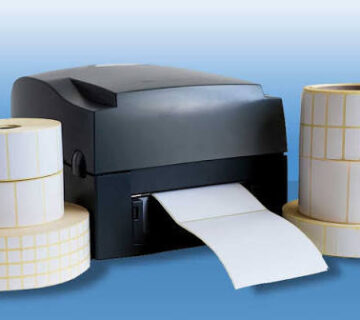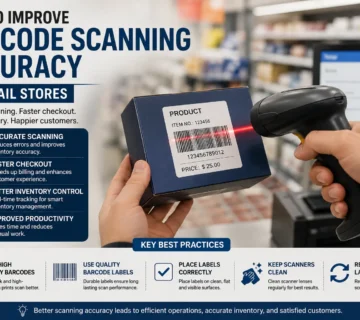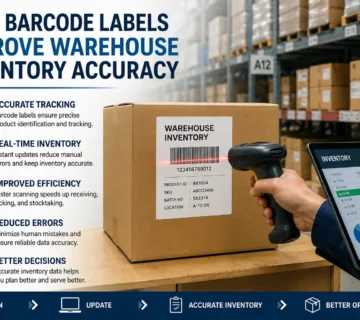
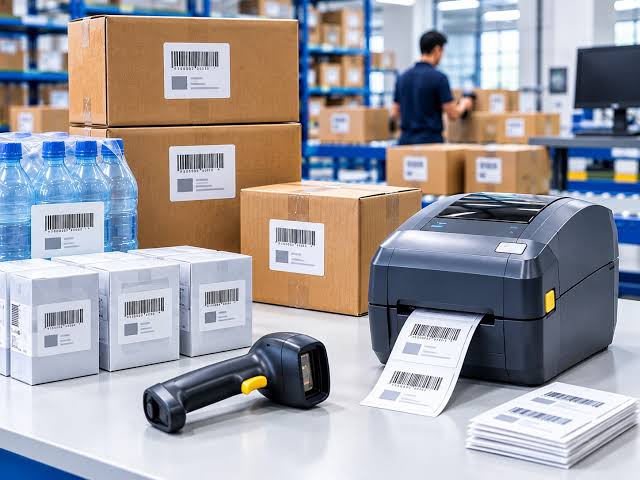
A factory in Jebel Ali and an online store packing orders in Al Quoz want the same things from their labels: barcodes that scan first time, labels that stay on, and printing that never holds up production or dispatch. What differs is the volume, the working conditions, and how much of each label changes from one item to the next.
This guide covers the decisions that matter for both, starting with the biggest one: whether to print labels yourself or send the job out.
In-house or outsourced label printing
Most businesses end up using both, so it helps to know where each one fits.
| In-house thermal printing | Outsourced label printing | |
| Best for | Barcodes, batch numbers, dates, weights and shipping labels: anything that changes per item | Full-colour branded labels, large fixed runs and special finishes |
| Speed | Printed the moment you need it | A lead time on every order |
| Cost | Low cost per label once the printer is bought | Low cost per label on large runs, but you pay for stock you may not use |
| Changes | Edit the template and print | New artwork and a new order |
The setup many manufacturers settle on is a hybrid. The branded, full-colour part of the label is printed in bulk by a label printing company, and the variable information (barcode, batch, dates, weight) is added in-house with a thermal transfer printer. You get the look of a printed label with the flexibility of printing on demand, and you don’t throw labels away every time a date or price changes.
If you’d rather hand the printing over entirely, SMB Infotech also offers a label printing service.
Label printing for manufacturing
Product, batch and expiry labels
Production labels carry information that changes constantly: batch or lot numbers, production and expiry dates, weights and serial numbers. Printing them in-house from the same data as your production records means the label and the record always match. Thermal transfer is the usual choice, because the print has to last as long as the product and often goes onto plastic or film.
Carton and pallet labels
If you supply retailers or distributors, they may specify how your cartons and pallets are labelled. The GS1 logistic label, for example, uses an SSCC (Serial Shipping Container Code), a unique number for each carton or pallet, encoded in a GS1-128 barcode so every business in the supply chain can track that exact unit. Find out what your customers require before you design anything.
Retail barcodes are changing too. GS1’s Sunrise 2027 programme is moving checkouts towards 2D barcodes such as QR codes and DataMatrix, which our guide to Sunrise 2027 explains.
Printers built for the factory floor
Dust, heat and long shifts wear out desktop printers fast. Industrial printers have metal frames, take bigger label rolls and longer ribbons, and cost less per label at high volume. Our guide to industrial and desktop thermal printers explains how to choose.
Print-and-apply for busy lines
On high-volume lines, a print-and-apply system prints each label and applies it automatically as the product passes. It removes a manual step and the mistakes that come with it, but it’s a bigger project that has to be planned around your line speed and packaging.
Printing from your ERP or warehouse system
Most ERP and warehouse systems can print to thermal label printers, either through a Windows driver or by sending the printer’s own command language, such as ZPL on Zebra printers. Sending commands directly is usually faster and produces sharper barcodes. Ask whoever supports your system which method it uses before you choose a printer.
Label printing for e-commerce
Shipping labels
Nearly every courier and marketplace system can produce shipping labels at 100 x 150 mm (4 x 6 in) for a thermal printer. Printing them on direct thermal labels means no ink, no ribbon and no A4 sheets to cut up, and a desktop printer turns each one out in a second or two. For a growing online store, it’s the single biggest time saver at the packing bench.
Product and SKU labels
If you hold your own stock, SKU barcode labels on shelves and products make picking faster and stop the wrong item going out. If you sell through a marketplace fulfilment programme such as Fulfilment by Amazon, follow its labelling requirements exactly. Stock that arrives with missing or incorrect labels can be delayed, refused or relabelled at extra cost.
Getting ready for sale periods
White Friday, Yellow Friday and the Dubai Shopping Festival bring order spikes that expose a slow or unreliable printer. Before each one:
- Build up a few weeks of label stock.
- Keep a spare printer, or a second packing station, ready to go.
- Use fanfold labels on the busiest benches so packers reload less often.
Choosing a printer for a small business
For most online stores, a 4-inch desktop direct thermal printer is the right place to start. It prints full-size shipping labels, takes up little space and needs no ribbon. Choose USB for a single packing PC, or a network connection if several people print to it. If you’ll also print product labels that need to last, choose a thermal transfer model: it prints direct thermal labels too, and you can add a ribbon later.
Which setup fits your business
| Business | Printer | Labels |
| Small online store, up to a few hundred parcels a day | 4-inch desktop direct thermal printer | 100 x 150 mm direct thermal shipping labels |
| E-commerce warehouse with several packing stations | Networked desktop printers, or an industrial printer at the main bench | Direct thermal shipping labels, fanfold on busy benches |
| Food or consumer goods manufacturer | Industrial thermal transfer printer | Pre-printed colour labels overprinted with batch and dates, or film labels |
| Distributor supplying retailers | Industrial thermal transfer printer | Carton and pallet labels with GS1 barcodes |
What to look for in a label printer supplier in the UAE
The printer is only part of the job. A good label printer supplier in the UAE should:
- Ask about your daily volume, label sizes and software before recommending a model.
- Supply labels and ribbons matched to the printer, so print quality stays consistent.
- Install and set up the printer for your labels, and show your team how to recalibrate.
- Hold spare printheads and service printers locally.
Label printing solutions from SMB Infotech
SMB Infotech supplies label printers from Zebra, TSC, Honeywell, Citizen and Godex in Dubai and across the UAE, along with labels, ribbons and a label printing service for jobs you’d rather send out. Tell us what you’re labelling, how many labels you print a day and what system you print from, and we’ll recommend a setup that fits, with the running costs included.
Frequently asked questions
Should I print labels in-house or outsource them?
Print anything that changes per item in-house, such as barcodes, dates and shipping labels. Outsource full-colour branded labels and large fixed runs. Many manufacturers combine the two by overprinting pre-printed labels.
What label printer does a small e-commerce business need?
A 4-inch desktop direct thermal printer is enough for most small online stores. It prints standard 100 x 150 mm shipping labels without a ribbon.
Can a thermal label printer print in colour?
A thermal transfer printer prints one colour at a time, usually black. Coloured ribbons are available for single-colour printing. For full-colour labels, use pre-printed labels or a colour inkjet label printer.
Do I need a ribbon for shipping labels?
No. Shipping labels are usually direct thermal, which needs no ribbon.